Take the list of managed devices per client from the RMM and the list of devices with an active, recently seen agent from your security tool. Any managed device missing from the security list, or seen too long ago, is unprotected. Install or repair the agent, then check the security console shows it active.
01Compare two lists
- Managed devices from the RMM (NinjaOne, Datto RMM and others).
- Protected devices from the security tool (SentinelOne, Huntress, CrowdStrike Falcon, Sophos Central), with the last time each agent checked in.
| Finding | Meaning |
|---|---|
| Managed, no agent | Never protected: install the agent |
| Agent not seen for days | Stopped working or device gone: investigate |
| Agent, not managed | Billing or inventory gap: check the agreement |
02Matching device names
The same machine can appear with slightly different names in the two tools. Match on hostname first, then serial number where both tools have it, and keep the matches so next month is faster.
Service Assurance in Revtein
Revtein checks backups, endpoint security and managed devices against each agreement, and turns every gap into a case with an owner and a verified…
See how it works- Pine Street LawBackup2 servers, no backup in 48 h
- Falcon ClinicEndpoint4 devices without an agent
- Juniper InsuranceEndpointAgent offline 3 days
- Harbor LegalBackupProtected
- Ridge Credit UnionDevices30 of 30 managed
03How Revtein does it
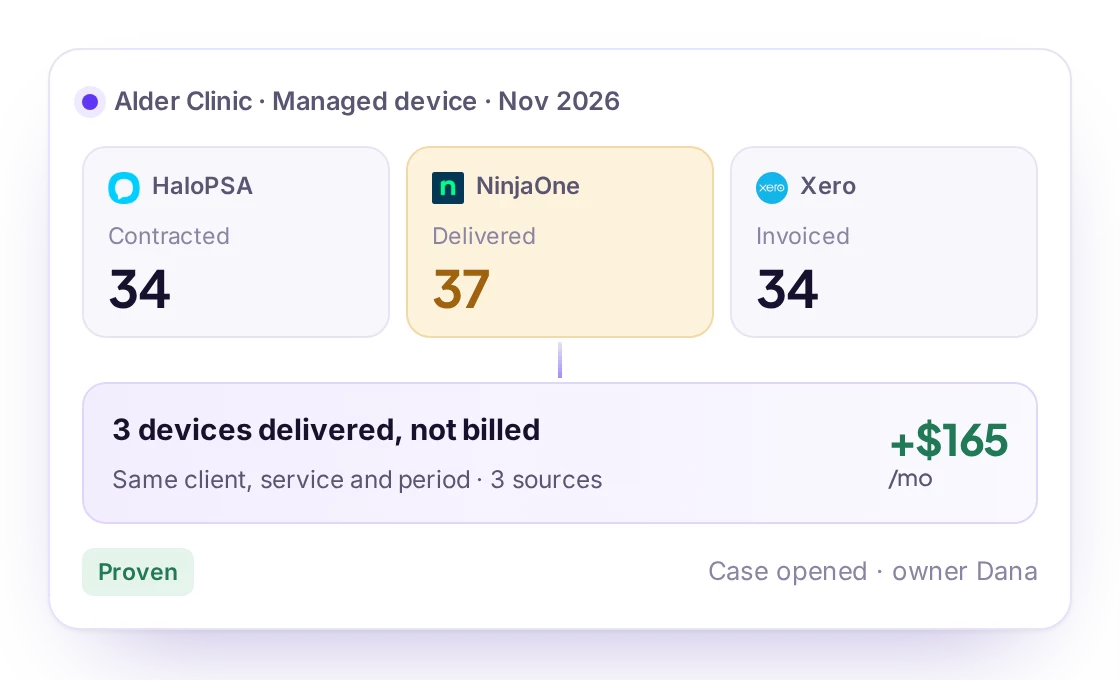
Revtein compares the RMM with your security tool per client, opens a case naming the unprotected devices, and closes it only when the security console reports them active. See MSP service assurance and the backup audit guide.
 NinjaOne
 Datto RMM
 N-able N-central
 Pulseway RMM
 Kaseya VSA X
 SuperOps RMM
 ConnectWise Automate
 Atera
 SentinelOne