In short
MSP billing reconciliation is the monthly check that what a client's agreement promises, what you deliver, what should be billed and what you invoiced all agree. Four numbers, per client and per service. When they differ, you either have missed revenue or you have overbilled.
01The four numbers
| Number | Where it lives | Question it answers |
|---|---|---|
| Contracted | PSA agreement | What did the client agree to pay for? |
| Delivered | RMM, backup, security, tenant | What are we really providing? |
| Billable | Agreement rules applied to delivery | What should be billed this period? |
| Invoiced | Accounting or PSA invoice | What did we actually bill? |
02A monthly routine
- Confirm the mappings. The same client must be matched across PSA, RMM and accounting, or every comparison is wrong.
- Pull the current counts. Devices, seats and protected workloads for the period.
- Compare per service. Flag any difference between the four numbers.
- Classify each difference. Missed billing, overbilling, wrong price, wrong mapping, wrong period or an intentional exception.
- Decide the treatment. Bill what was delivered, keep the contracted quantity with a recorded reason, or wait and review.
- Correct and verify. Change the recurring line, then read it again to prove it.
Billing & Reconciliation in Revtein
Revtein lines up contracted, delivered and invoiced quantities for every client, service and period, and walks your team through each difference until the source shows it is…
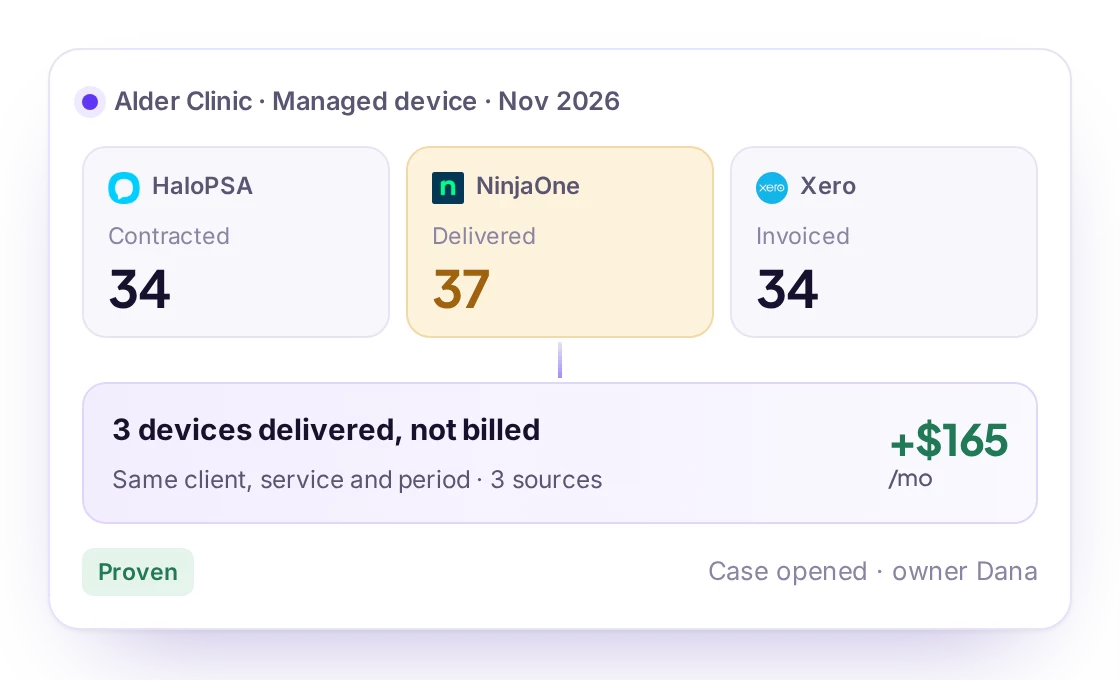
See how it worksEvidence · Alder Clinic, Managed device, Nov 2026
- Contracted34HaloPSAAgreement AG-2126 · recurring line 41081Nov 15, 9:20
- Delivered37NinjaOneApproved managed devices · org Alder ClinicNov 15, 9:18
- Invoiced34XeroINV-1042 · line Managed deviceNov 15, 9:21
Same client, service, unit and period$55 per device · agreement price
03Mistakes to avoid
- Editing an issued invoice instead of recording an adjustment through your accounting process.
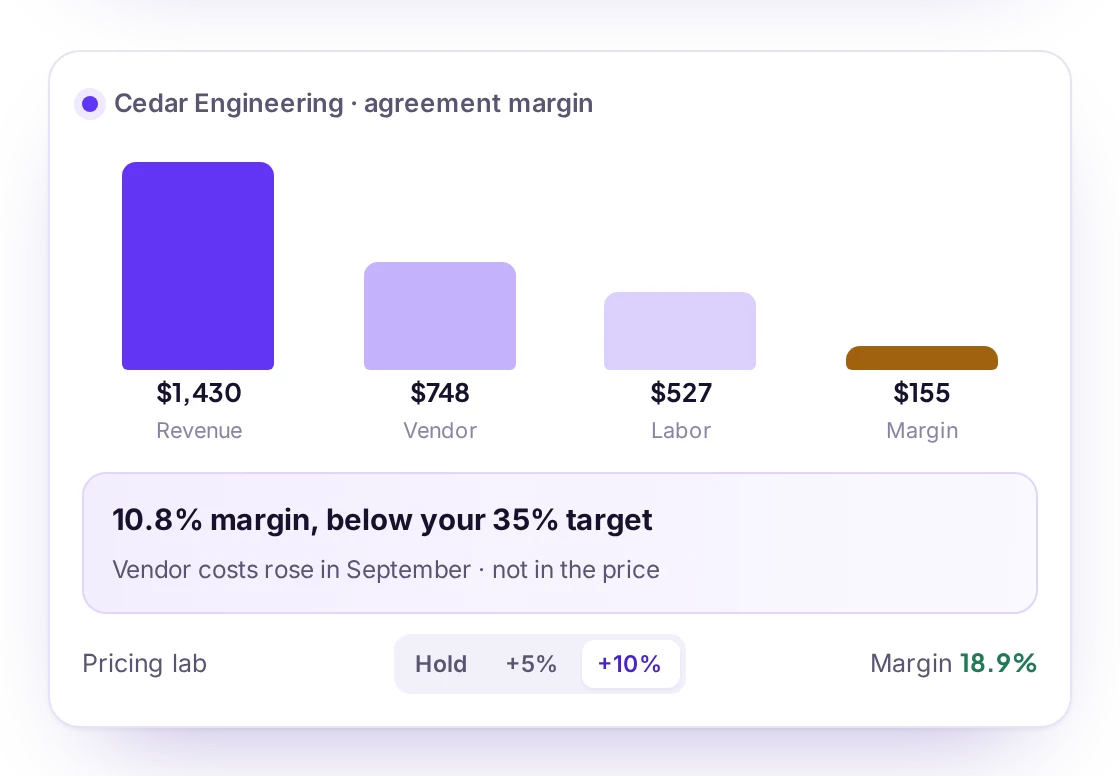
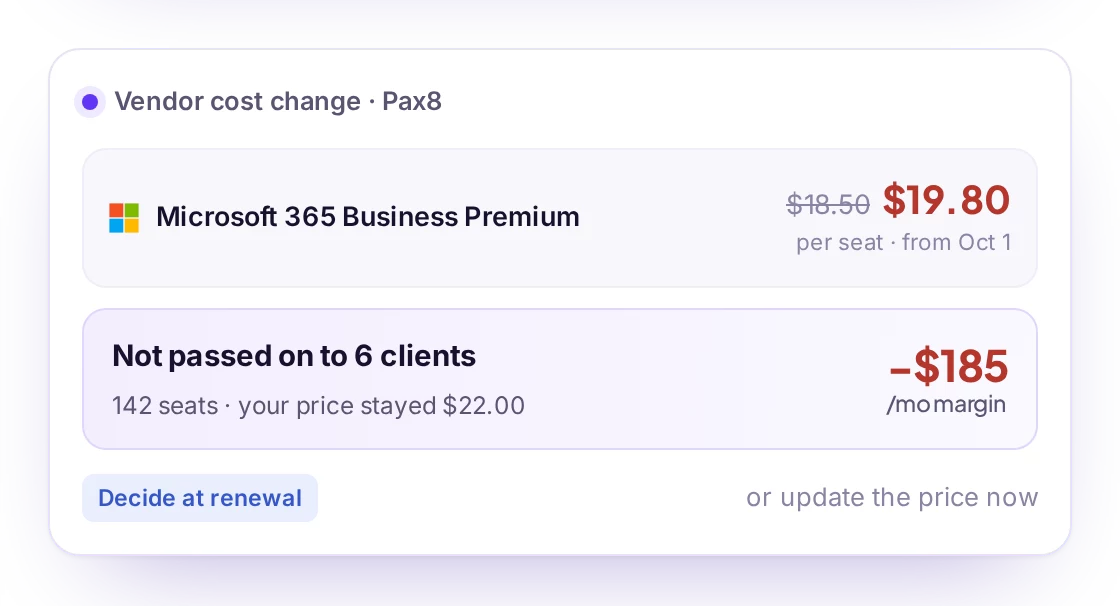
- Treating a vendor cost as lost revenue without checking the contract.
- Fixing the quantity but not the mapping that caused it.
- Calling a case closed because the command ran, not because the source confirmed it.
04Where tools help
A spreadsheet can reconcile a small portfolio. Beyond a few dozen clients, the manual work and the risk of stale data grow quickly. Revtein reads the PSA, RMM and accounting system, compares the four numbers per client and opens each difference as a case with the evidence.