Most MSPs run on a PSA for tickets, agreements and billing, an RMM for monitoring devices, separate backup and security platforms, and an accounting system for invoices. Each tool is good at its own job, but none of them checks the others: the agreement, the devices actually managed and the invoice can disagree for months without anyone noticing.
01PSA: professional services automation
The PSA is where the business side lives: clients, contracts and agreements, tickets, time entries and recurring billing. Examples include HaloPSA, ConnectWise PSA and Autotask. It knows what was sold, but not what is actually running at the client.
02RMM: remote monitoring and management
The RMM monitors and manages endpoints and servers: patches, scripts, alerts and inventory. Examples include NinjaOne, Datto RMM and N-able. It knows what devices exist, but not what the client pays for.
Service Assurance in Revtein
Revtein checks backups, endpoint security and managed devices against each agreement, and turns every gap into a case with an owner and a verified…
See how it works HaloPSAPSAWrite enabled
 NinjaOneRMMConnected
 XeroAccountingConnected
 AcronisBackup1 client not matched
 SentinelOneSecurityConnected
03Backup and security platforms
Backup and endpoint security usually live in their own consoles. They know which devices are protected, which is exactly what many contracts promise, and often what each seat costs you.
04Accounting and distributors
Accounting (such as Xero or QuickBooks) holds the invoices that actually went out. Distributor and licensing portals, such as Pax8 or Microsoft 365 partner centres, hold what you pay for licences.
05Where revenue slips between the tools
| Gap | Example |
|---|---|
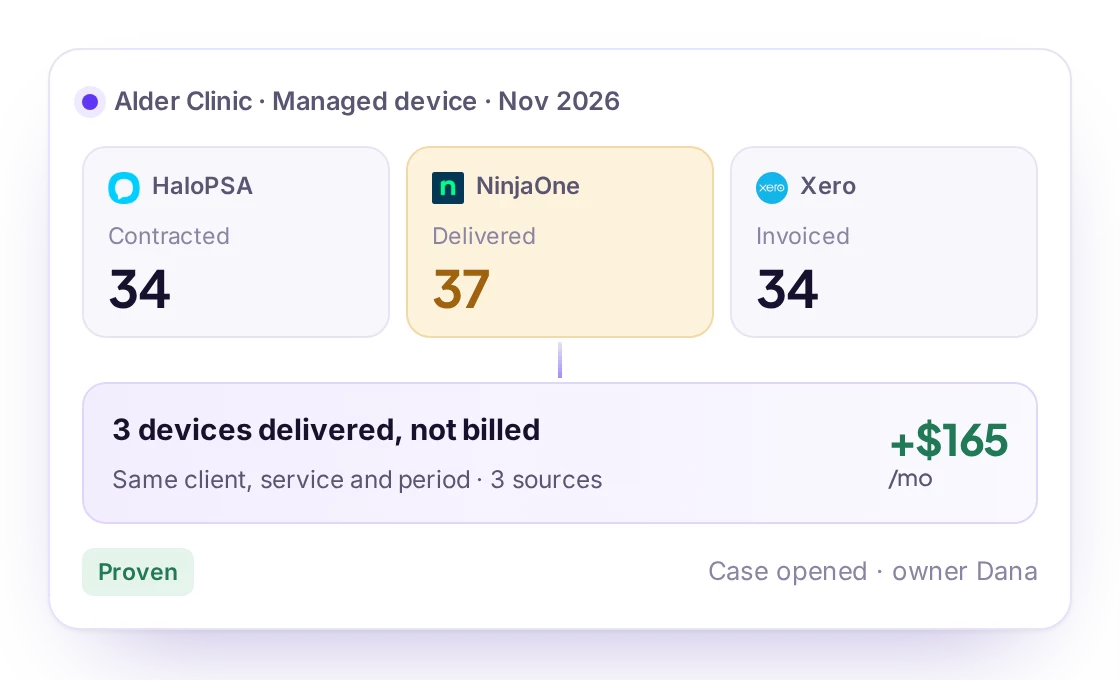
| Contract vs delivered | The agreement covers 40 devices; the RMM manages 52 |
| Delivered vs protected | Devices under management with no backup or endpoint protection |
| Licences bought vs billed | Seats bought from the distributor that never reach an invoice |
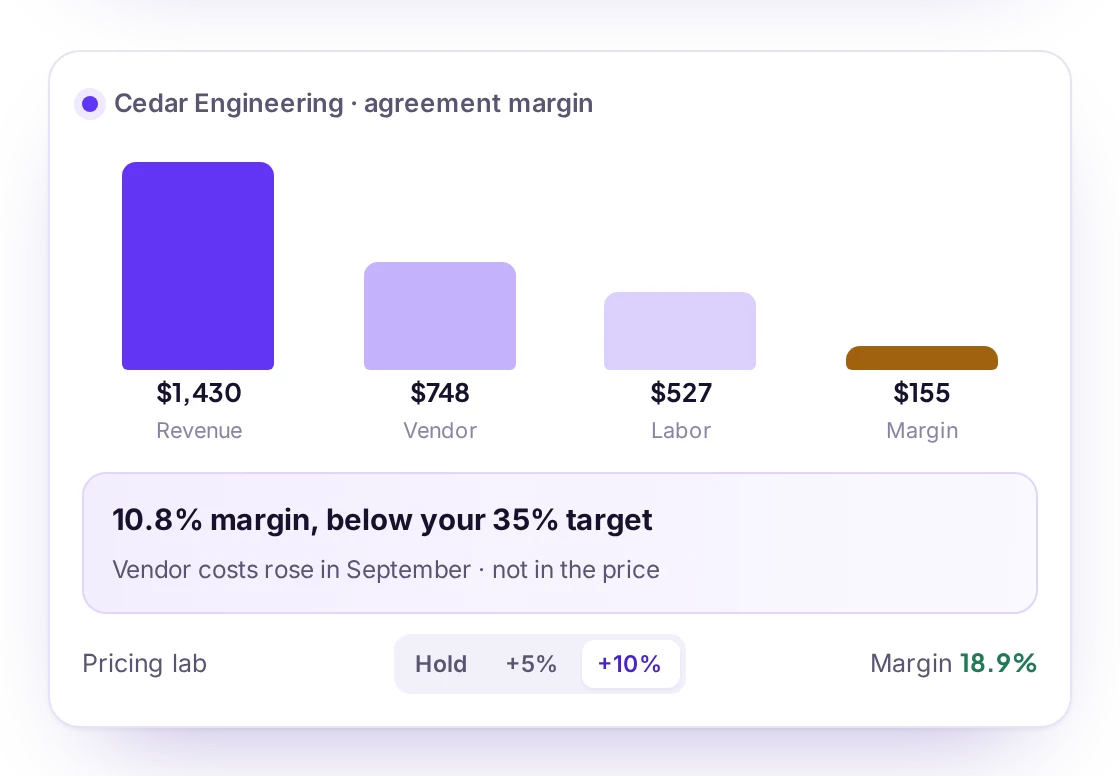
| Cost vs price | A vendor raises prices and the agreement price stays the same |
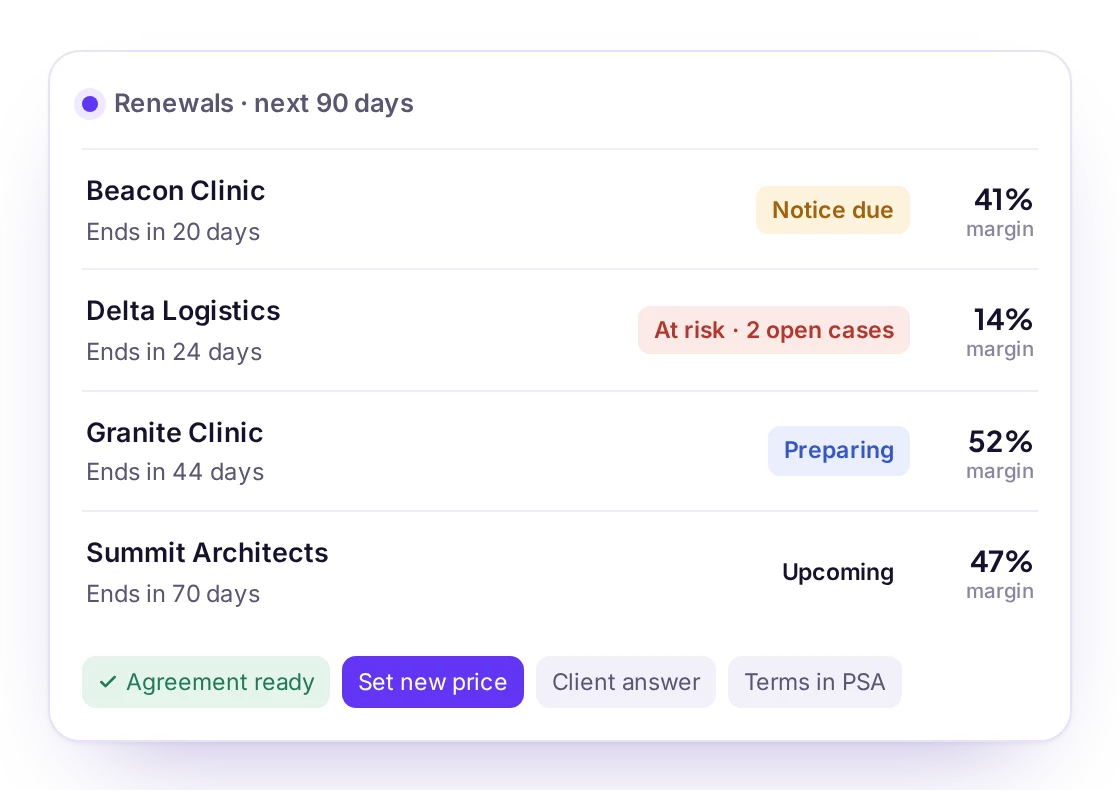
| Agreement vs renewal | A low-margin contract renews automatically because nobody looked |
06Where Revtein fits
Revtein does not replace your PSA, RMM or accounting system. It reads them, read-only by default, finds where they disagree, and turns each difference into a case your team works to a verified end: service delivery, billing, profitability, vendor costs, renewals and the monthly review in one workspace.